Solar Monitoring — Make Sense of Your System’s Performance
A solar monitoring screen can show colourful arrows, changing numbers and several different charts. It can also leave you wondering whether the system is doing what you expected. Understanding a few basic ideas makes the information easier to use. You do not need to watch the app all day or turn every change into a technical investigation.
This guide explains a practical way to read solar monitoring for a home or business in Thailand. Different equipment offers different information, so use the instructions for your own system alongside these general ideas. Ask SolarSunThai about monitoring when discussing a new installation, including what you want to see and who will help you understand it.
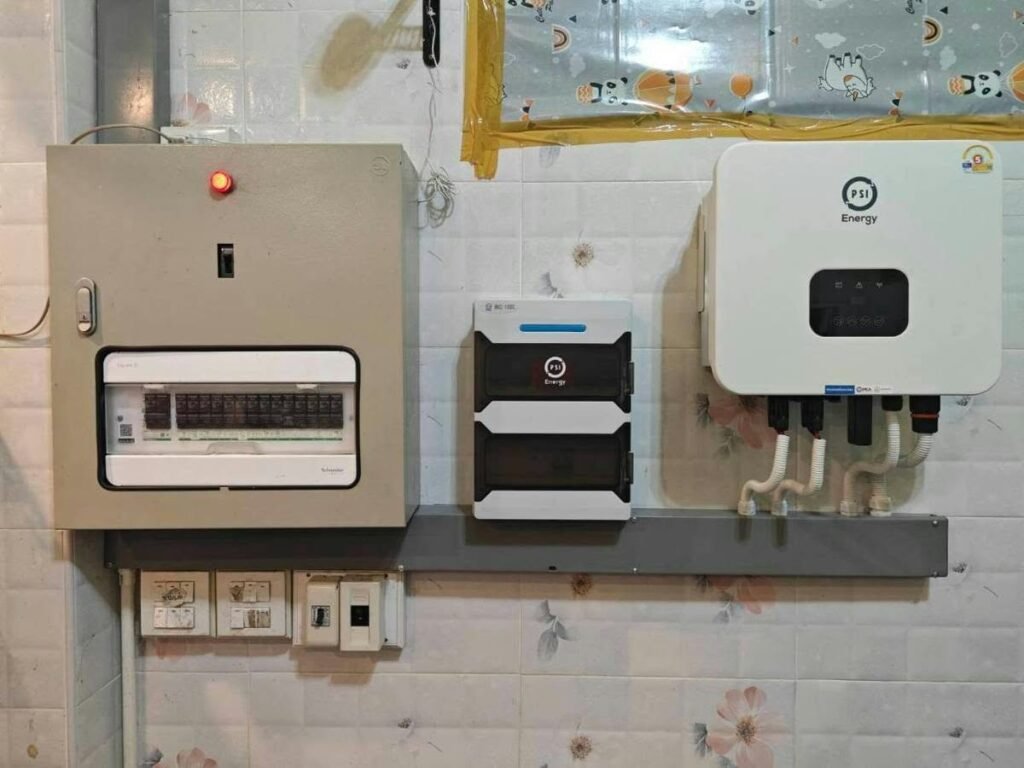
First ask what the system can measure
Start by finding out which figures come from installed measurements and which are estimates. Some arrangements show solar production without showing the building’s full electricity use. Others include additional metering and display energy moving between solar, the property, a battery and the grid. Ask the installer to explain the information available in your particular setup before making decisions from an app screen.
Request a short demonstration using your own account after the installation is ready. Ask which screen is best for a quick owner check and which details are intended for technical support. Write down the meaning of unfamiliar labels. A simpler view that you understand is more useful than a busy dashboard whose numbers you cannot explain to another person.
Separate power now from energy over time
Power is the rate of electricity production or use at a particular moment, commonly shown in kilowatts, or kW. Energy adds up over a period and is commonly shown in kilowatt-hours, or kWh. A current power figure and a daily energy total describe different things. Comparing them directly can make normal operation look confusing even when both readings are correct.
Check the unit and time period beside every figure you record. If you save a screenshot, include the date and the chart labels rather than cropping to one large number. This small habit helps a support person understand what you are asking about. It also helps you compare like with like when you return to the records later.
Learn the daily shape before judging a result
Look at several ordinary days and notice how production changes during daylight hours. Your roof layout, weather and site conditions influence the shape, so another property’s chart is not a universal model for yours. A neighbouring building may face a different direction or have different equipment. Use your own handover explanation and system-specific expectations as the starting point for questions.
The US Department of Energy describes several factors that affect solar performance, including weather and local solar availability. That is why one day’s output cannot establish how every future day should look. Ask the installer which normal variations you may notice and what kind of lasting change they would want you to report.
Read the date before reading the number
A screen can appear current even when the displayed information is older than you expected. Look for its last update time, selected date and whether you are viewing a live or historical page. If a figure seems frozen, record those details. Give support the name of the app and the device you are using so they can understand the screen you see.
Do not treat missing online information alone as proof that the solar equipment has stopped producing. The data connection and the generation equipment are different parts of the wider system. Ask for qualified support to distinguish a communications issue from an operational issue. For example, SMA’s app documentation explains that some data requests can have different response times.
Make the next step about your property.
Tell us your location, property type and main questions. Use the Contact Us form to send SolarSunThai the details you would like to discuss.
Use longer records for better questions
A useful record can be straightforward: the date range, energy total, weather context and any known interruption. Compare the same type of figure over similar periods. Avoid comparing a partial month with a complete month or a live morning figure with an entire day. If the app offers downloads, ask how to keep a copy in a format you can reopen.
A short note beside a change often matters as much as a screenshot. Perhaps the building was closed for a week, a roof extension was built or the internet service changed. Those details help the professional decide what to examine next. They also keep your future self from having to reconstruct why an unusual period appeared in the chart.
Understand use, imports and exports separately
Solar production, electricity used in the building and electricity drawn from the grid answer different questions. If your monitoring measures all three, ask for an explanation of how they fit together. Confirm what any export figure represents and how it is measured. Do not assume that an arrow pointing towards the grid means you are automatically being paid for that electricity.
The electricity bill remains a separate record with its own reading dates, charges and applicable arrangements. Use monitoring to understand patterns, then compare the matching periods carefully when discussing bills. Our home solar guide provides more context about matching solar to your routine. Ask for any proposed financial estimate to state its assumptions rather than relying on the app’s headline alone.
Treat alerts as information for qualified support
When an unfamiliar alert appears, record the wording, code and time. Check the owner documentation for the appropriate support contact. Do not change installer settings, open equipment or repeatedly attempt resets in search of a quick fix. The right response depends on the model and the event. A screenshot of the actual message is more useful than a remembered description.
Monitoring platforms may offer different kinds of notifications, as explained in the Department of Energy’s overview of solar monitoring platforms. Ask which alerts your installation includes and who receives them. Contact SolarSunThai with your system details and the exact message when you need help identifying the next appropriate step. Immediate hazards need suitable urgent assistance.
Let battery figures answer a clear question
If a battery is installed, ask which figures show its stored energy level, charging and discharging. A percentage is easier to understand when you know what it describes and which operating settings apply. Ask for an owner demonstration using ordinary examples from your day. Avoid changing battery settings just because another user shares a different arrangement online.
Monitoring a battery does not by itself establish what happens during a power cut. Backup capability depends on the design and compatible equipment, and the supported circuits need to be explained separately. The solar battery guide can help you prepare those questions. Ask for backup arrangements to be shown in the system proposal rather than inferred from a battery icon in an app.
Ready to discuss your solar options?
Share your energy priorities and available property information through the Contact Us form. Ask about the next step and the assessment suitable for your location.
Keep account access useful and secure
Use an account that the property owner can retain, and ask how access works if the owner or responsible employee changes. Confirm whether a second household member or building manager can have suitable access. Keep login recovery details current. Do not send passwords in an ordinary support message; ask for the provider’s approved way to grant access when assistance is needed.
Before installation, ask whether the monitoring features you want involve subscriptions, network requirements or optional hardware. Record what is included in the proposal and what would need a separate agreement. Our solar products page can support an initial equipment discussion. The aim is to choose information that helps you operate the property, with a clear understanding of ongoing responsibilities.
Turn a small check into a useful habit
You do not need to chase the highest number on every sunny afternoon. Choose a regular time to check that information is updating, read any messages and file a simple record. If a pattern concerns you, gather comparable dates and ask for an explanation. This makes the conversation focused and reduces the temptation to draw conclusions from one dramatic-looking screenshot.
Monitoring works best when you know what the numbers mean, what the system can measure and who can help. It should support sensible decisions about your property rather than add uncertainty to each day. Talk to SolarSunThai about your solar monitoring questions. Include your property location, equipment details and the information you would find most useful during normal ownership.
Keep exploring your solar options
On-Grid or Hybrid Solar · Solar for Farms
Browse all SolarSunThai blog posts for more guides in English and Thai.
Start with a clear conversation.
Keep a short log when a pattern changes
If monitoring shows a persistent change, record the date, the displayed message and the period affected. Note known interruptions to the property’s electricity or internet connection and any change in how the building was used. Compare suitable periods rather than one sunny interval with one cloudy interval. This creates a useful starting point for support without assuming that the monitoring display alone identifies the cause.
Share the relevant equipment model and a concise description through the agreed support route. Keep screenshots focused on the reported issue and avoid changing operating settings unless the responsible team or equipment instructions direct you to do so. Ask whether the concern involves reporting, generation or consumption measurement, and what further information is needed. This helps separate an account or connectivity question from a problem requiring a qualified site visit. Keep the outcome in the log so that a recurring issue can be discussed with a consistent history rather than reconstructed from memory.
Tell SolarSunThai about your property and what you want solar to do. Complete the Contact Us form to ask a question or request an assessment. English: Joe +66843200279. Thai: +66847561520. Email: info@solarsunthai.com.